
Admin & analytics for management
Control what sellers see, what they can send and edit, and learn from how content is actually used in the field and with customers.
One unified sales story, smartly managed
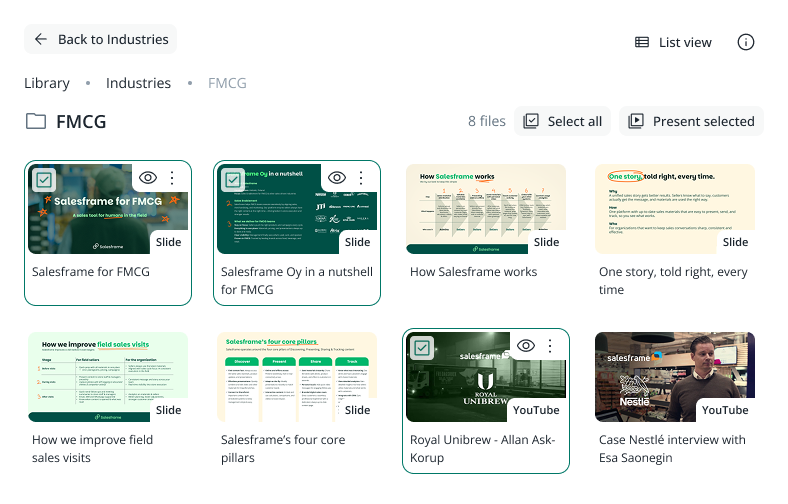
Salesframe lets you manage a branded content library with the freedom to decide how it looks for different teams.
You can organise materials by market, segment, channel or brand, and decide which folders are visible for field sellers, key accounts or partner teams.
Timed launches and removals keep everything tidy so that no one uses old content or information.
>50 supported content types
-
Office and other documents
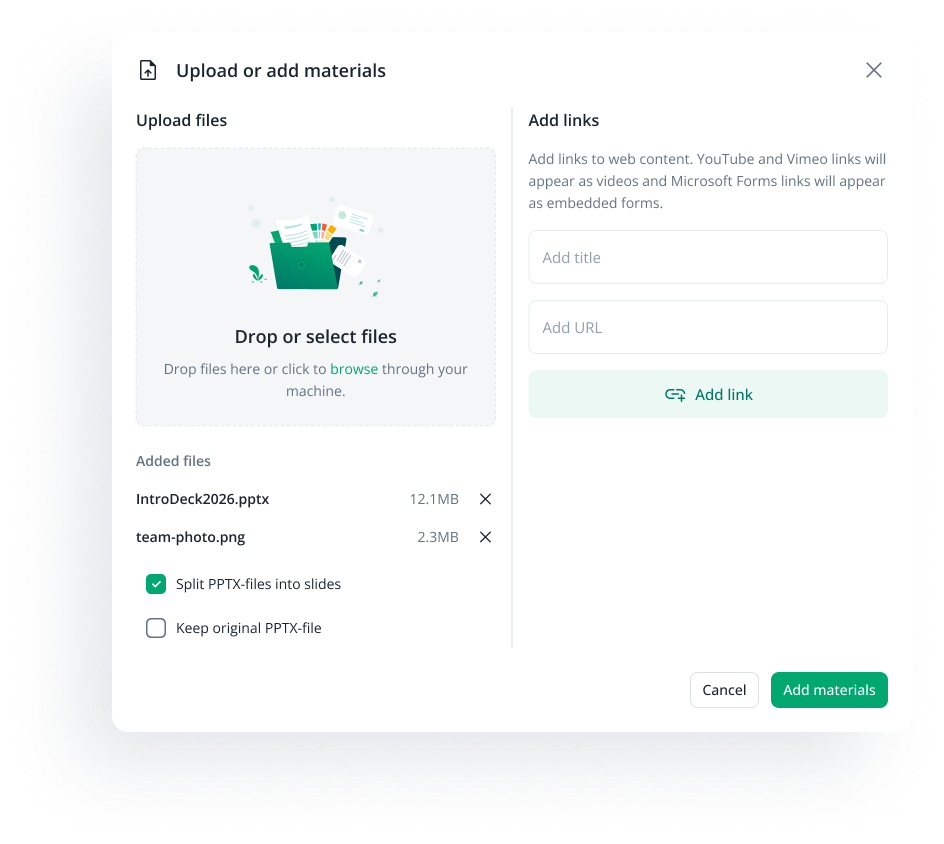
PowerPoint, Word and Excel files, plus PDFs and other documents that need to stay in their original form.
-
Media and visuals
Images in common formats, videos hosted in Salesframe or from services like YouTube and Vimeo, and richer visuals such as 3D imagery.
-
Embedded tools and widgets
Maps, forms and survey tools, margin and benefit calculators and other web based tools you want sellers and customers to use inside the same flow.
Control who sees and edits what
Admins decide what can be used, what can be edited and what can be sent outside the company. Most cases fall into three simple buckets that you can manage in Salesframe:
-
Give a team full access to a set of materials. They see the content in their library and can edit their own copies where it makes sense, for example offer slides, agendas and local examples, while the master version stays under your control.
-
Some content should be used in meetings but never changed or sent freely. Sellers can open these decks and slides to present, but cannot edit or send them out. This is ideal for brand stories, legal text and carefully approved product messaging.
-
Keep sensitive or unfinished material inside a small group. Internal only content is hidden from everyone else, or visible only to a few admins and key users who work on it before it goes live.
You keep the rules and permissions in the background, sellers just see a simple, clean view that fits their role.
See what sellers actually use
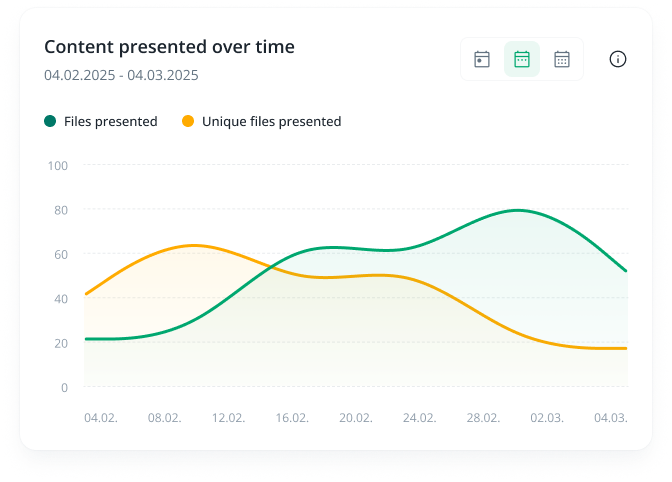
Instead of guessing which materials “sellers like”, you see what they actually use.
You can spot the slides and files that show up every day and the ones that almost never appear.
This makes content housekeeping less political and more practical. You invest time in updating the pieces that are clearly earning their place, and quietly archive, merge or rewrite the rest.
The library stays lean enough that sellers actually find what they need.
Customer usage tracking in Salesframe shows admins and marketing which materials get opened and how much time customers spend on them.
You can quickly spot patterns by market or segment, for example where a story lands well and where people drop off halfway through.
This makes it easier to decide what to update, shorten or retire, so the library shifts toward content customers actually read.
See what customers engage with

Close the content loop
-
1. Publish
You add new decks, PDFs and other meterials to the library, choose who sees them and when they go live, and retire old versions so sellers only see the current story.
-
2. Use
Sellers build their meetings and follow-ups from those pieces, so you get a real view of how often each deck, slide or file is actually used in the field.
-
3. Analyze
You see which materials customers open, where they spend time and where they drop off, broken down by team, market or segment, instead of guessing based on gut feel.
-
4. Improve
You update, shorten or retire weak content and push out cleaner versions to the right teams, so over time the library gets smaller, the story gets sharper and sellers find good content faster.
Analytics in Salesframe sits on top of everyday work, the content sellers prepare, present and send with tracking. It pulls that activity into one view so admins, marketing and sales leaders see how content is used and how customers react.
Deeper reporting and BI feeds live on the integrations side, where APIs and webhooks plug this data into the rest of your stack.
Want to see it with your own cases?