Why sending links with Salesframe is safe and better than sending email attachments
Many sellers are nervous about sending links. Customers are told to be careful with unfamiliar URLs and nobody wants their message to look like phishing.
At the same time, in Salesframe the link is usually the best way to deliver material, both for you and for the customer.
1 - What you gain by sending a Salesframe link
When you send a link instead of attachments, you get:
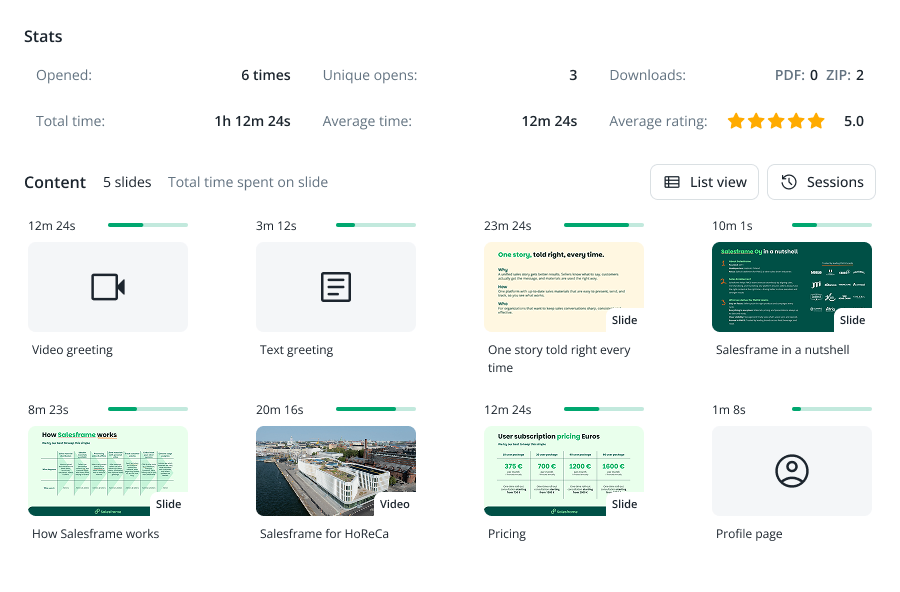
Trackability, so you see if and when the customer opened it
The ability to send many files and large file sizes in one go
A more secure, professional experience with your own company branding
A simpler experience for the customer (one link, one place, works on any device)
Everything else in this article is just about making that feel natural and safe for the customer.
2 - Why Salesframe links are safe to open
When you share from Salesframe, the customer is not downloading a mystery file. They are opening a secure web page that shows the material you chose.
A few key things happen under the hood:
The link uses HTTPS, the same encrypted connection you see in online banking and most SaaS tools.
The address starts with your own subdomain, for example
yourcompany.salesframe.com/..., so it clearly looks like it is tied to your organisation, not a random link shortener.Content opens directly in the browser, so the customer doesn’t have to download anything before seeing what it is.
If you send the link from your own email address, it also arrives in a familiar thread, from a person the customer already knows. On top of this, your organisation can use options like passwords and expiry dates when extra control is needed.
3 - How to introduce the link so customers trust it
A lot of the trust issue is solved simply by explaining what you are doing before you do it.
During the meeting or call, tell them:
“I’ll send the offer and materials as a single Salesframe link after this call.”
or:
“I’ll send these documents through a system called Salesframe as one link, so you don’t get a lot of attachments.”
Now the link is expected, the name Salesframe has been mentioned once, and the customer knows the purpose.
If you are still unsure, send from your own email instead of directly from the system. Keep the message in the same thread as your existing conversation and write a normal, human email:
Subject:
Offer and follow-up from todayBody:
“Here’s the offer and supporting material we discussed. Everything is in one Salesframe link so you don’t have to open multiple attachments.”
To the customer it feels like any other email from you, with one extra benefit: the link opens a clean, branded page instead of a pile of files.
4 - Why customers prefer a link over attachments
From the customer’s perspective, a Salesframe link solves a few daily annoyances:
They only need to click one link instead of opening a long list of attachments.
Large decks, PDFs, videos and images load reliably, even if their email system is strict about attachment sizes.
On mobile, it is easier to tap one link and view content in the browser than to find and open multiple downloads.
If you need to adjust the content before they open it, you can update the presentation and keep the same link, so they always see the latest version.
For you, the bonus is that you also see if and when they opened it and which parts got attention. That makes it much easier to time a follow-up call or email.
5 - Quick checklist before you send
When you are about to send a link, run through this short list:
Mention during the meeting that you will send the material as a Salesframe link.
Decide whether to send from your own email (good if trust is a concern) or directly from Salesframe.
Use a subject line that clearly refers to your discussion, for example “Offer for [Customer] – follow-up from today”.
Add one sentence explaining why it is a link:
“I’m sending this as a Salesframe link so you get all the files in one place instead of many attachments.”
That is usually enough to make Salesframe links feel like a normal, safe part of your customer communication, while you keep all the benefits of trackable, modern sales content.